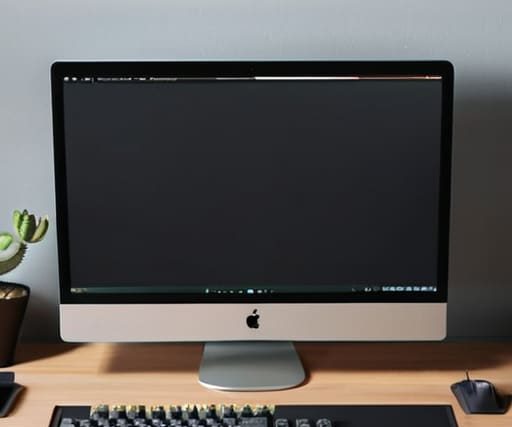
I was sitting in my favorite corner café this morning, sketching a rough floor plan on a paper napkin, when I realized my laptop screen looked nothing like the serene, intentional spaces I design for my clients. My desktop was a chaotic graveyard of unsorted screenshots, half-finished mood boards, and files named “final_v2_REAL_final.” It’s exhausting, isn’t it? We spend so much time obsessing over the tactile beauty of our physical studios—the perfect placement of a driftwood sculpture or the way light hits a linen sofa—yet we completely neglect the digital chaos that actually fuels our creativity. Learning how to organize a digital workspace shouldn’t feel like a grueling chore or a complex coding project; it should feel like clearing a cluttered room to let the sunlight back in.
I’m not here to sell you on some expensive, over-engineered productivity software that requires a PhD to operate. Instead, I want to share a more organic, minimalist approach to digital curation. I’ll show you how to apply the same principles of functional beauty that I use in interior design to your virtual environment, creating a streamlined system that breathes. We are going to build a digital sanctuary that supports your flow rather than fighting it.
Mastering Desktop Organization Systems With Minimalist Grace
I often find myself staring at a chaotic desktop screen, and it feels exactly like walking into a room filled with half-unpacked moving boxes—it’s visually loud and mentally draining. To find that sense of calm, I’ve started treating my desktop like a curated gallery wall rather than a junk drawer. Instead of letting every stray screenshot and temporary download pile up, I implement specific desktop organization systems that prioritize breathing room. I like to keep only my most active projects in view, much like how I’d leave only a single, beautiful vase on a minimalist console table.
The secret to making this stick without constant effort lies in consistent file naming conventions for productivity. I’ve moved away from vague titles like “Final_v2_Updated” and transitioned to a structured, date-first approach. This creates a rhythmic flow to my day; I no longer hunt through digital shadows for a specific mood board. By grouping files into logical, color-coded folders that mirror my physical filing habits, I’m essentially minimizing digital distractions and reclaiming the mental clarity I need to actually start creating.
Cloud Storage Management Tips for a Seamless Creative Flow

If my desktop is the sunlit corner of a café, then my cloud storage is the vast, unseen library behind the scenes—the backbone that keeps my creative momentum from stalling. It’s easy to let files drift into a chaotic sea of “Final_v2_REAL_FINAL.pdf,” but I’ve found that implementing strict file naming conventions for productivity is a total game-changer. I like to treat my folders like a well-curated gallery: everything has a specific place, categorized by project year and client, ensuring that when inspiration strikes, I’m not digging through digital debris to find that one perfect texture swatch.
Beyond just naming, true digital workflow optimization comes from regular maintenance. I treat my cloud storage like a coastal tide; every few months, I perform a deep sweep to clear out the “driftwood” of temporary exports and old drafts. By applying consistent digital decluttering techniques, I ensure my online space remains as intentional and airy as a minimalist loft. This keeps my focus sharp and prevents the heavy mental weight of a cluttered drive from dampening my creative spark.
Curating Your Digital Palette: 5 Ways to Breathe Life into Your Workflow
- Treat your file naming like a sketch in my journal—intentional and descriptive. Instead of “Final_Version_2_New,” try “Project_Coastal_Lounge_Moodboard_Oct23.” It’s about creating a visual language that lets you find exactly what you need without the mental clutter.
- Adopt a “One-In, One-Out” philosophy for your active desktop. Just as I wouldn’t crowd a minimalist mantle with unnecessary trinkets, don’t let your desktop become a graveyard of temporary downloads. If you aren’t using it today, file it away or let it go.
- Create “Digital Zen Zones” through color-coded tagging. I love using soft, organic tones—sage greens for ongoing client projects, sandy beiges for inspiration, and slate blues for administrative tasks. It turns a dry list of files into a sensory map that’s much easier for the brain to navigate.
- Schedule a “Weekly Reset” ritual, much like a Sunday morning coffee session. Take fifteen minutes every Friday to sweep your downloads folder, empty the trash, and clear your browser tabs. It’s the digital equivalent of tidying up a studio before a big new project begins.
- Curate your most-used applications into a streamlined dock. If you have twenty icons staring at you, you’re experiencing visual noise. Keep only your primary “tools of the trade” visible, and tuck the rest away into folders, leaving plenty of negative space for your focus to expand.
Designing Your Digital Sanctuary

As we wrap up this journey through your virtual architecture, remember that organizing a digital workspace isn’t just about tidying up files; it’s about creating a sustainable ecosystem for your creativity to thrive. We’ve explored how a clean desktop can act as a blank canvas, much like the pristine shoreline of my childhood, and how structured cloud storage provides the essential framework for a seamless creative flow. By applying these principles of eclectic minimalism—keeping only what serves your purpose and letting the rest go—you transform a chaotic digital landscape into a curated sanctuary that supports, rather than hinders, your daily rhythm.
At the end of the day, your digital tools should feel as intentional and soulful as a well-placed piece of driftwood in a modern loft. Don’t feel pressured to achieve perfection overnight; instead, view your workspace as a living, breathing project that evolves alongside your ideas. Let your digital environment be a reflection of your unique journey, a space where structure meets inspiration and where every click feels effortless. Now, take a deep breath, clear that cluttered folder, and go forth—your next extraordinary idea is just waiting for a little bit of room to breathe.
As you begin to curate this digital landscape, don’t forget that true organization isn’t just about where you store your files, but about how you manage your social and personal connections outside the screen. Just as I wouldn’t design a beautiful living room without considering how people will interact within it, your digital life needs a balance of professional structure and spontaneous connection. If you find yourself looking for ways to bridge that gap between your structured workspace and your vibrant social life, exploring local atlanta hookups can be a wonderful way to step away from the monitor and reconnect with the pulse of the city that inspires my sketches.



MOST COMMENTED
DIY
From Urban Concrete to Living Sanctuary: a Beginner Guide to Indoor Plant Care for Transforming Your Space.
Smart Living
2050 Smart Homes: What Your House Will Look Like!
Smart Living
7 Smart Home Features Every Family Needs Right Now!
Outdoor
Create the Best Outdoor Play Space for Kids!
Lifestyle
The Science Behind Power Naps & How to Do Them Right!
Renovation
From Coastal Calm to Urban Canvas: the Curated Essentials for Home Renovation Projects That Turn Ordinary Spaces Into Extraordinary Sanctuaries
Outdoor
From Concrete to Canopy: How to Identify Edible Wild Plants and Weave Nature’s Hidden Bounty Into Your Urban Life