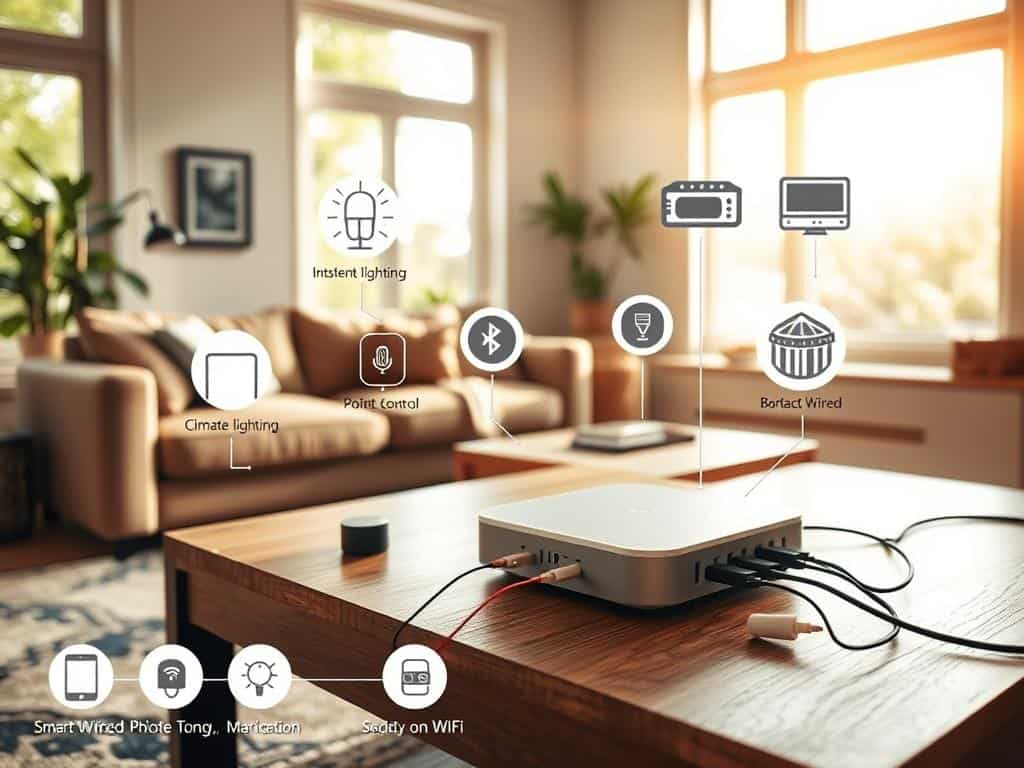
Did you know over 40% of smart devices work well without the internet? Many think a smart home needs WiFi to function. But, there are other ways to automate your home offline.
Devices like smart door locks and lighting systems use Bluetooth, Zigbee, and Z-Wave. These technologies help create a smart home without WiFi issues. In this article, I’ll show you how to set up a smart home without needing the internet.
Key Takeaways
- Over 40% of smart devices can operate without a WiFi connection.
- Bluetooth Low Energy devices provide essential functionality like smart locks independently of the internet.
- Zigbee and Z-Wave technologies enable local communication for devices like Philips Hue lights and Fibaro sensors.
- Smart lighting systems can maintain operation through local controls using Bluetooth connectivity.
- Hubs like Hubitat and Home Assistant support local processing for efficient smart home management without internet reliance.
Understanding the Need for WiFi in Smart Homes
In today’s world, smart devices have changed how we live and work. They need WiFi to work their best, letting us control our homes from anywhere. Things like smart thermostats and security systems need the internet to function well.
With WiFi, these devices can talk to apps on our phones. This lets us check on our homes and control things from afar.
What Smart Devices Typically Require WiFi
Many smart devices, like security cameras and voice assistants, need WiFi to work. Voice-controlled devices need the internet to understand and act on our commands. This makes our lives easier and more convenient.
Also, WiFi is key for controlling things like our heating and cooling systems remotely. This makes our homes more responsive and efficient.
Devices That Can Work Without an Internet Connection
Not all smart devices need WiFi to work. Some, like smart switches and lights, can turn on and off even without the internet. Devices using local hubs like Zigbee or Z-Wave can talk to each other without WiFi.
Bluetooth-enabled devices can work within range, allowing us to control them locally. This shows how smart devices can adapt to different needs. It means we can enjoy the benefits of a connected home even without WiFi.
Home Automation Without WiFi: Possible Solutions
Looking into home automation without WiFi opens up new possibilities. Technologies like Zigbee and Z-Wave are key for many smart devices. They let devices talk to each other easily, even without the internet. Knowing about these options can help make your home safer and more efficient.
Leveraging Zigbee and Z-Wave Technologies
Zigbee and Z-Wave are great for smart home automation, working without WiFi. Zigbee is used in many lights, from brands like IKEA Tradfri and Philips Hue. It lets you control many devices with just one hub, making life easier.
Z-Wave is perfect for sensors and automations, thanks to brands like Aqara and Aeotec. These systems work well even when the internet is down, thanks to their own hub.
Using Bluetooth for Offline Automation
Bluetooth adds more to your smart home, like controlling door locks and lights. It connects directly to your phone, so you can control things without the internet. Smart plugs and switches from Sonoff and Zooz use Bluetooth for offline use.
This approach makes automation smoother and boosts security by keeping control local. With systems like Home Assistant, which supports over 2,500 devices, you can create a strong automation setup. It’s less dependent on the internet.
Setting Up a Smart Home with Local Control
Creating a smart home with local control makes it more personal and secure. DIY home automation lets you set up your home just the way you like it. This approach means you don’t need to rely on cloud services as much.
DIY Home Automation Systems
Platforms like Home Assistant can turn your router into a WiFi hotspot. This lets you control your home without needing the internet. Even without internet, your smart home can keep working, thanks to Zigbee and Z-Wave.
For setting it up, you can use a temporary network. This could be a mobile hotspot or Ethernet. It makes sure everything works smoothly.
Advantages of Using Local Servers
Using local servers has many benefits. They keep your devices working, even when the internet is down. This gives you peace of mind.
It also keeps your data safe at home. This reduces worries about cloud storage. Home Assistant or Hubitat can handle complex tasks. Devices like Wemo Mini and LIFX bulbs work without the internet.
Flashing Tasmota firmware on devices gives you even more control. This makes managing your home easy and independent.
Conclusion
Exploring smart home solutions shows that WiFi isn’t always needed. Offline options like Zigbee and Z-Wave let devices talk to each other without the internet. This means I can keep my home running smoothly, even when the internet is down.
Home automation has made it easy to control my home in new ways. For example, I can set my blinds to open automatically. This not only saves time but also keeps my home private and reliable. Plus, having a backup power system ensures my smart home stays functional, no matter what.
By combining smart technology with practical solutions, I’ve made my home strong against interruptions. I focus on local networks and a solid setup. This way, I get all the smart home benefits without the risks of relying too much on WiFi.



MOST COMMENTED
Smart Living
10 Budget-Friendly Smart Home Upgrades Anyone Can Do
Home
Glass Walls: The Future of Modern Home Interiors
Lifestyle
7 DIY Ways to Instantly Reduce Stress!
Smart Living
Alexa vs. Google Home – Which Smart Speaker Wins?
Outdoor
How to Set Up an Outdoor Movie Night!
Lifestyle
How to Improve Focus & Mental Clarity Fast!
Home
Forget Minimalism! How to Nail Maximalist Style